Open WebUI XSS
[16/05/26]
Sooo... I was bored recently. So, like any sane bored person, I built something that any sane person would build. Right!? 😅
It's called Human Harness, and it's basically a tool that lets any human pretend to be an LLM and enter the world of an AI agent.
You can pretend to be Opus 4.7 running inside of Claude Code, OpenClaw, Pi, Hermes, Codex, or whatever other agentic framework / coding assistant you want!
Anyway, I decided to have a little fun with it, on Open Web UI.

Here it is, wired up to Open Web UI, and me trying to execute tools (Human Harness only supports JSON tool calling right now, not XML!)
Tooltip Injection
From here, I noticed something.
After a response, it would immediately re-request me with this:
### Task:
Suggest 3-5 relevant follow-up questions or prompts that the user might naturally ask next in this conversation as a user, based on the chat history, to help continue or deepen the discussion.
### Guidelines:
- Write all follow-up questions from the user’s point of view, directed to the assistant.
- Make questions concise, clear, and directly related to the discussed topic(s).
- Only suggest follow-ups that make sense given the chat content and do not repeat what was already covered.
- If the conversation is very short or not specific, suggest more general (but relevant) follow-ups the user might ask.
- Use the conversation's primary language; default to English if multilingual.
- Response must be a JSON object with a "follow_ups" key containing an array of strings, no extra text or formatting.
### Output:
JSON format: { "follow_ups": ["Question 1?", "Question 2?", "Question 3?"] }
### Chat History:
...
This was kinda interesting.
At first, I did the usual.
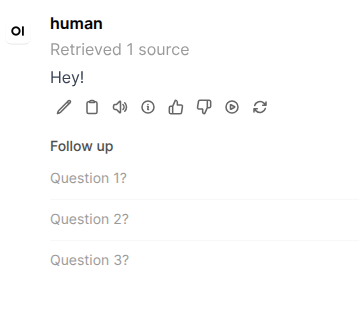
I said { "follow_ups": ["Question 1?", "Question 2?", "Question 3?"] }:
I tried some injection, too:
{ "follow_ups": ["<script>alert(1)</script>", "<img src='../bad url' onerror='alert(1)' />"] }
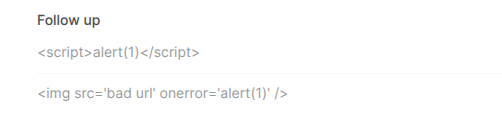
Looked like it was sanitizing them, too.
I was about to give up, then my mouse accidentally hovered and revealed something!

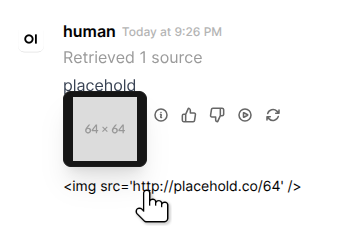
It turns out, hovering over the follow up actually renders the image!
This means that hovering the follow up content is a way to add arbitrary DOM elements to the tree?
I tried again with a real image url:
{"follow_ups": ["<img src='http://placehold.co/64' />"]}
This was exciting.
So, I did this to find the DOM element, in the browser console.
First, type debugger in the console without pressing enter.
Next, hover over the follow-up (while the console still has focus) and press enter.
This effectively freezes the page so you can move your mouse away and the followup will stay in the DOM.
From there, I ran a simple querySelector query:
document.querySelectorAll('img[src]')
That gave me a lot, so I moved to [...document.querySelectorAll('img[src]')].at(-1).
And guess what? That gave me exactly what I wanted, the injected image tag.
So, naturally, I hunted for it in the source code of Open Web UI.
Found the culprit:
open-webui/src/lib/components/chat/Messages/ResponseMessage/FollowUps.svelte:18
Specifically:
{#each followUps as followUp, idx (idx)}
    <Tooltip content={followUp} placement="top-start" className="line-clamp-1">
        <button
            class=" py-1.5 bg-transparent text-left text-sm flex items-center gap-2 text-gray-500 dark:text-gray-400 hover:text-black dark:hover:text-white transition cursor-pointer w-full"
            on:click={() => onClick(followUp)}
            aria-label={$i18n.t('Follow up: {{question}}', { question: followUp })}
        >
            <div class="line-clamp-1">
                {followUp}
            </div>
        </button>
    </Tooltip>

    {#if idx < followUps.length - 1}
        <hr class="border-gray-50 dark:border-gray-850/30" />
    {/if}
{/each}
So each followup's raw text content is being passed as the content prop into the Tooltip component.
The tooltip component being $lib/components/common/Tooltip.svelte.
So, I went and looked there.
Here's the file, if you're interested.
Immediately, I noticed it was in Svelte 4. Which I'm not exactly good at. But I can still understand it.
I saw this:
If you don't know, these export lets are declaring properties (in Svelte 5 this was changed to $props, which is a rune).
I noticed that allowHTML defaults to true, meaning that by default, ~~unsanitized~~ HTML could pass in through the content field!
Well, you might be wondering why I crossed out unsanitized.
Uhh...
I found this line:
Aw man. Well, it was fun while it lasted. I'm just putting this in security anyway with the title "Open Web UI XSS" for no reason at all. Enjoy!
...you think I'd give up that easily? Lol, not yet.
So I wwent went to package-lock.json and found this:
"dompurify": "^3.2.6",
Which means dompurify is using an older, 3.2.6 version, which is vulnerable to CVE-2025-15599 and CVE-2026-0540!
Well, I tried a known exploit...
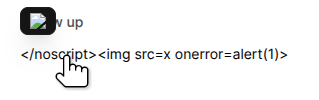
</noscript><img src=x onerror=alert(1)>
...which looked promising...

...but it was still missing the onerror attribute, indicating it'd been successfully sanitized.
So.. I looked in the devtools Sources tab under node_modules, and found this:
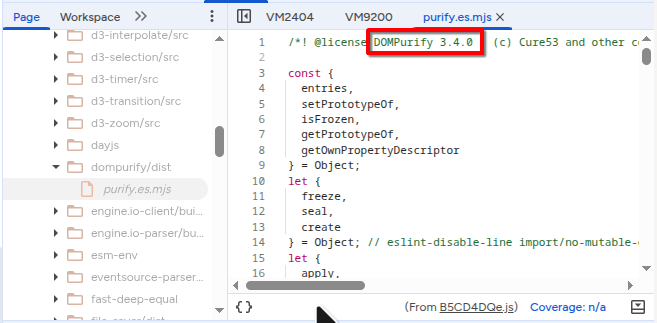
Yeah... 3.4.0
So I looked closer at the package-lock.json and found this:
"version": "3.4.0",
Yeah so, uh, elsewhere in the package-lock.json it'd updated itself to 3.4.0, which (as of now) has no known CVEs.
Now, for real this time, I can't go any further. But this was an incredibly cool learning process, and no doubt real XSS vulnerabilities are found in the same situations as what I'm doing now.
Good luck to anyone else out there hunting!
[17/05/26]
So, I got kinda annoyed that I didn't find anything, so as a last resort I just searched innerHTML in the repository's code.
Really just to try and find any unsafe innerHTML setting which could be manipulated for XSS.
Mermaid.js CSS Injection
I found this particularly interesting line in FilePreview.svelte:
const svg = await renderMermaidDiagram(mermaidInstance, codeEl.textContent ?? '');
if (svg) {
    const wrapper = document.createElement('div');
    wrapper.className = 'mermaid-diagram flex justify-center py-2';
    wrapper.innerHTML = svg;
    pre.replaceWith(wrapper);
}
And it looked like renderMermaidDiagram was a function in utils/index.ts (here):
export const renderMermaidDiagram = async (
    mermaid: typeof import('mermaid').default,
    code: string,
    renderId?: string
) => {
    const id = renderId ?? `mermaid-${uuidv4()}`;
    try {
        const parseResult = await mermaid.parse(code, { suppressErrors: false });
        if (parseResult) {
            const { svg } = await mermaid.render(id, code);
            return svg;
        }
        return '';
    } finally {
        // Mermaid can leave temporary d*/i* wrappers on error paths.
        cleanupMermaidTempElements(id);
    }
};
So, mermaid.js was used for rendering mermaid diagrams, and it seems there's no sanitization done on it either.
I looked through package-lock.json and found that the version used was 11.14.0.
This actually has two known CVEs as well: CVE-2026-21866 and CVE-2026-32308.
Both of these are basically the same.
Their PoCs are:
stateDiagram-v2
    classDef x }*{ background-image: url("http://media.giphy.com/media/SggILpMXO7Xt6/giphy.gif")}
%%{init: {"fontFamily": "x;a{b} :not(&){background:green !important} c{d}"}}%%
flowchart LR
A --> BOk, so these don't render properly on my blog. Probably because the first one has no content, and the second one does, but both are rendered within a sandboxed <iframe> by default.
The actual code for the exploits:
```mermaid
stateDiagram-v2
classDef x }*{ background-image: url("http://media.giphy.com/media/SggILpMXO7Xt6/giphy.gif")}
```
```mermaid
%%{init: {"fontFamily": "x;a{b} :not(&){background:green !important} c{d}"}}%%
flowchart LR
    A --> B
```
Let's try them, one by one.
We'll start with the green one (second one).
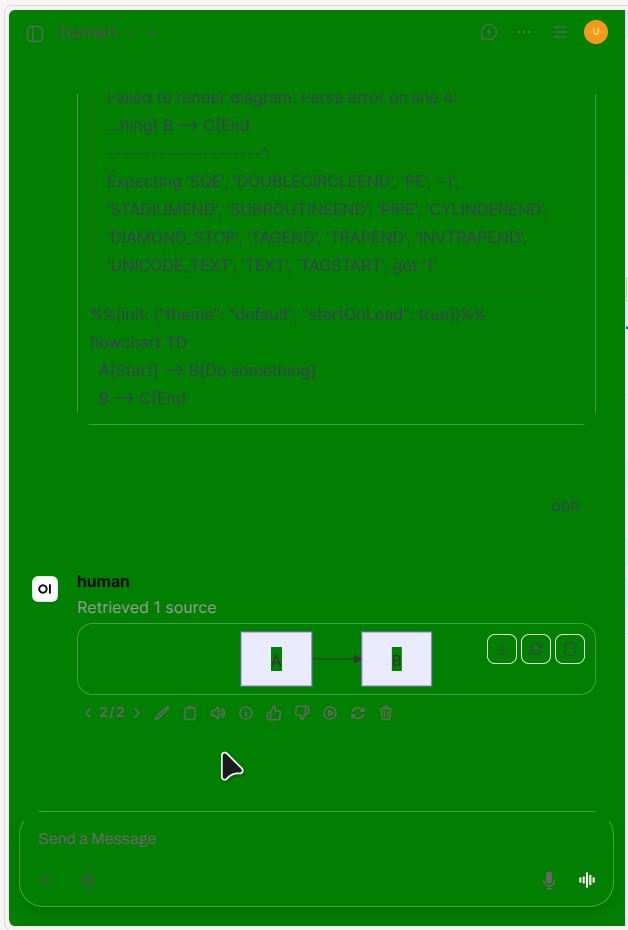
Well... it makes everything green. What did you expect?
And what about the GIF one?
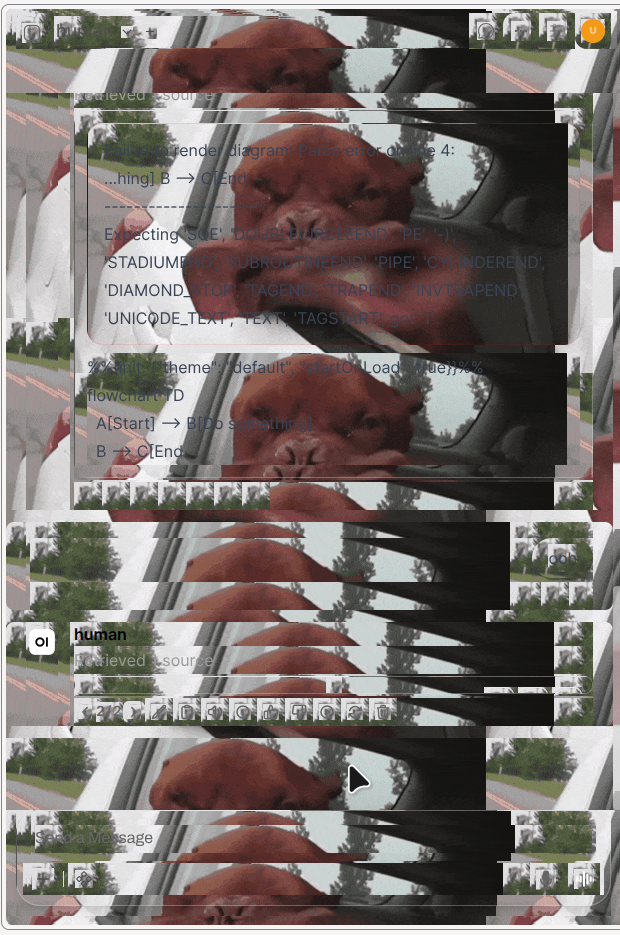
...damn.

P.S. I've reported this to OpenWebUI on GitHub.